Disclosure: this post contains affiliate links. If you sign up through one, we may earn a commission at no extra cost to you. We only recommend tools a CPA has reviewed from the vendor's own pages.
When have you outgrown small-business payroll in Canada?
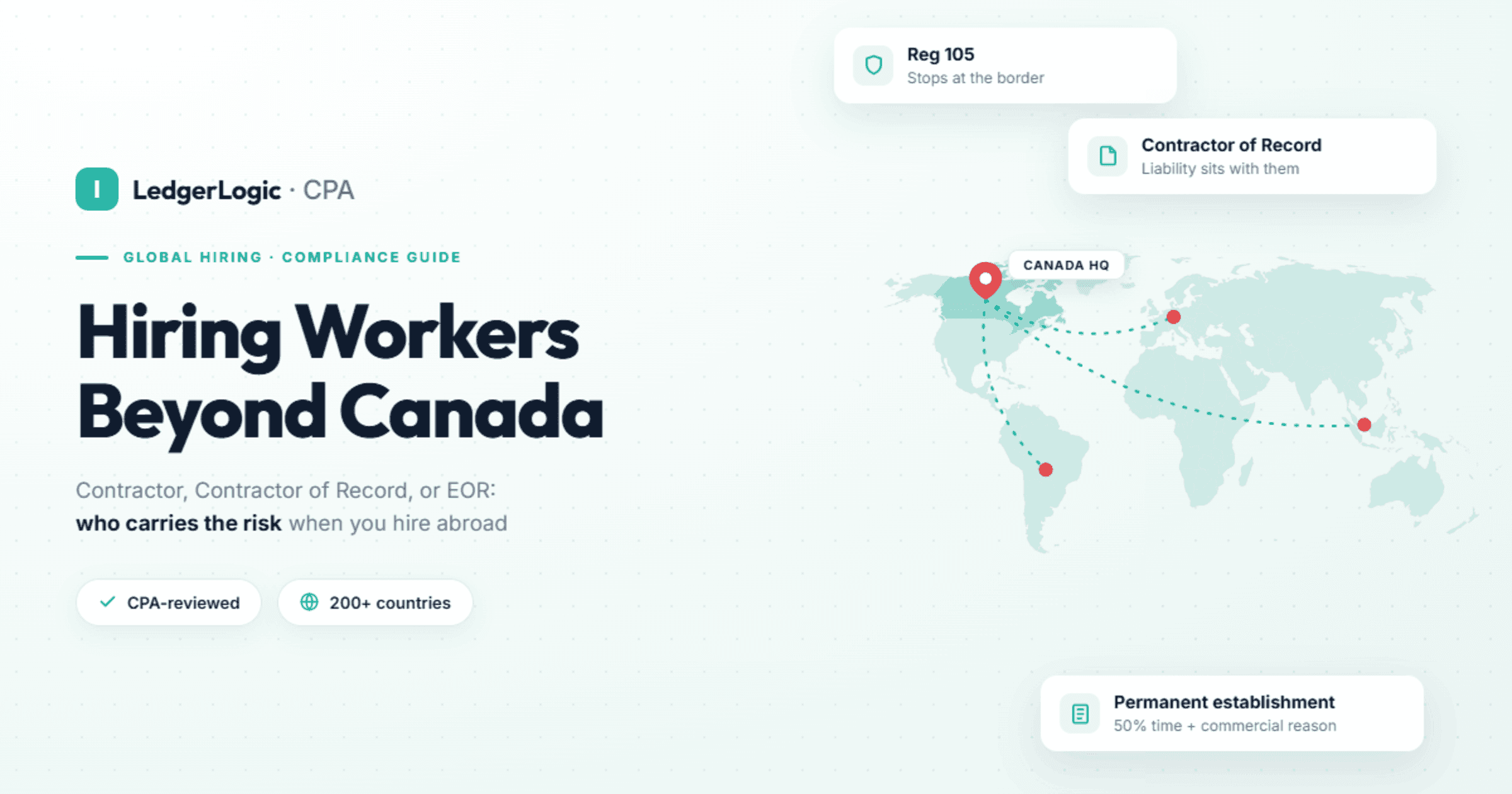
You have outgrown it when you pay staff or contractors outside Canada, which Wagepoint does not serve, or when two signs stack up: 10 or more staff with HR admin in separate tools, and a second province on top of that headcount. Headcount under 50, Quebec, accelerated remitting and Ontario or BC employer health tax are not reasons to leave on their own: Wagepoint lists unlimited employees, accelerated remittance schedules and Ontario and BC EHT, and supports Revenu Québec remittances. Our routing: Wagepoint for payroll only, all staff in one province, under 50 staff; Employment Hero for HR with payroll, all staff in one province, under 50 staff, with Rippling as the alternative; Rippling for 10+ staff across provinces or with staff abroad, and for 50+ staff unless you want payroll run for you; ADP Workforce Now for 50+ staff wanting managed payroll; Deel for a team under 10 with staff abroad, or when an employer of record is the main need. Switch on January 1 if you can; a mid-year switch works when year-to-date totals are loaded, so each employee still gets one T4.
At a Glance
Most Canadian teams start on a small-business payroll tool such as Wagepoint or QuickBooks Payroll, and most of them can stay there longer than software vendors suggest. The time to move is when payroll stops being the problem and the work around it becomes one: more staff and more HR admin, a second province on top of that, or people outside Canada. This guide lists the five signs, says which ones actually force a switch, routes each situation to a tool, and walks through what a mid-year switch does to year-to-date totals, T4s and ROEs. Every price and rule below was read at its source on October 14, 2026.
How do you know you have outgrown small-business payroll?
You have outgrown it when the work around payroll grows faster than payroll itself. Our CPA threshold is two or more of the five signs below at the same time. One sign on its own rarely justifies a switch, and three of the five can be handled without leaving Wagepoint.
| Sign | What you notice | Does it force a switch? | Usual next step |
|---|---|---|---|
| 1. 10 to 20+ staff, HR admin growing | Offer letters, onboarding forms and time-off requests by email; approvals in chat | No. Wagepoint lists unlimited employees and contractors on both plans. The HR load is the reason, not the headcount | Employment Hero (under 50 staff, one province), with Rippling as the alternative |
| 2. A second province or Quebec | A hire in another province, a T4 slip for each province, another workers' compensation or EHT account | Not for payroll alone. Wagepoint says it handles multi-province payroll, and it supports Revenu Québec remittances and RL-1s | Rippling once you have 10+ staff across provinces |
| 3. Staff or contractors outside Canada | A first hire or a regular contractor abroad | Yes. Wagepoint says it only serves small businesses in Canada | Deel under 10 staff or when an employer of record is the main need; Rippling at 10+ staff |
| 4. A CRA remitting or EHT threshold | A CRA letter making you an accelerated remitter; Ontario or BC employer health tax now owing | No. Wagepoint lists accelerated remittance schedules and Ontario and BC EHT | Check your settings; review, do not move |
| 5. HR admin in separate tools | Spreadsheets for time off, a separate time-tracking app, documents in shared drives, the same employee typed in three places | Yes, if you want one employee record | Employment Hero or Rippling |
Sign 1: has headcount passed 10 to 20, with HR admin growing too?
Below 50 staff, headcount alone is not a reason to leave small-business payroll. Wagepoint's pricing page lists unlimited employees and contractors on both of its plans, and the price simply rises by $4 or $6 per person a month. What grows with headcount is the work a payroll tool does not hold: onboarding paperwork, time-off requests, approvals, documents and the questions that come with all of them.
Growth also tends to arrive in this band. In Statistics Canada's survey for the second quarter of 2026, 19.5% of businesses with 20 to 99 employees expected their number of employees to rise over the next three months, against 9.9% of businesses with 1 to 19.
The HR platforms draw their line in the same place. Employment Hero's Canadian HR plans state a minimum of 10 users. Rippling says it has no minimum headcount; our CPA view is that its platform pays off from about 10 staff once you also have more than one province or people outside Canada, and from 50 staff unless you want payroll run for you.
What to check: count the tools and spreadsheets that hold employee information outside payroll. Three or more means Sign 5 applies as well.
Sign 2: does adding a second province or Quebec mean switching payroll?
Not by itself. A second province changes your filings: the CRA asks for a separate T4 slip for each province or territory an employee worked in during the year, each province has its own income tax tables and workers' compensation board, and Ontario and British Columbia charge employer health tax. Wagepoint says it takes the guesswork out of multi-province payroll, lists workers' compensation and Ontario and BC EHT on both plans, and its September 2026 Quebec post says it handles Revenu Québec remittances, RL-1 reporting, QPP, QPIP, the Health Services Fund and CNESST.
What changes at 10 or more staff across provinces is everything around payroll. The province of employment also decides which employment standards apply, from vacation and statutory holidays to overtime, as Wagepoint's own guide to remote teams points out. Time-off policies, schedules and approvals start to differ by province, and that is the case for one HR and payroll system. Rippling says its payroll runs across all Canadian provinces, Quebec included, supports remittances to the CRA and Revenu Québec, and can manage several employer health tax accounts separately. Our multi-province payroll guide covers the filings province by province.
Sign 3: do you have staff or contractors outside Canada?
This is the one sign that forces a change on its own, because Wagepoint says it only serves small businesses in Canada. Contractors in Canada can stay on Wagepoint, which bills per employee or contractor; anyone working abroad needs a second system or a different one.
There are two routes, and team size decides between them. Rippling, our pick from 10 staff, says it runs payroll for employees and contractors around the world from the same system, and its Canadian site lists employer of record and global contractor products alongside Canadian payroll. Whether a Canadian company should pay US staff through a US entity or through Rippling's employer of record is a question to settle in the demo, before you sign. Deel, our pick under 10 staff, is also the specialist when an employer of record is the main need: its pricing page shows $49 per contractor and $599 per employer-of-record employee a month, without naming a currency, and says it offers full legal employment in 130+ countries. See Deel's plans, or read our Deel review. The Canadian tax side of foreign hires is in our guide to hiring contractors and employees abroad.
Sign 4: did you cross a CRA remitting or employer health tax threshold?
Crossing a threshold changes your deadlines, not necessarily your software. Check that your current provider handles the new schedule before you shop.
The CRA sets your remitter type from your average monthly withholding amount (AMWA) two calendar years earlier: the total of your required remittances for that year divided by the number of months with a remittance, up to 12. It reviews every payroll account each November and tells you in writing if your type changes. Associated corporations share one remitter type, and a change of remitter type does not change your pay periods.
| Remitter type | AMWA two years earlier | When remittances are due |
|---|---|---|
| Quarterly (existing small employer, perfect compliance record) | Less than $3,000 | April 15, July 15, October 15 and January 15 |
| Regular | Less than $25,000 | The 15th of the following month |
| Accelerated, threshold 1 | $25,000 to $99,999.99 | Pay from the 1st to the 15th: by the 25th. Pay from the 16th to month end: by the 10th of the next month |
| Accelerated, threshold 2 | $100,000 or more | Up to 4 times a month, by the 3rd working day after the 7th, 14th, 21st and last day of the month |
On deducted amounts over $500, a late remittance costs 3% if it is 1 to 3 days late, 5% at 4 or 5 days, 7% at 6 or 7 days and 10% after that, so the move to twice-monthly remitting is where a manual process starts to slip. Wagepoint lists monthly and accelerated remittance schedules among its core features, and Employment Hero says its payroll prepares the CRA remittance schedule on a monthly, quarterly or accelerated cadence. The CRA letter is a reason to check your settings, not to switch.
Employer health tax works the same way. In Ontario, eligible employers pay no EHT on the first $1 million of annual Ontario payroll, there is no exemption once the employer and its associated group pay more than $5 million, monthly instalments start once Ontario payroll passes $1.2 million, and the annual return is due March 15. Ontario also lets one business number run separate EHT accounts by payroll centre, each with its own instalments and return. In British Columbia, there is no EHT on BC remuneration of $1 million or less, 5.85% applies to the amount over $1 million up to $1.5 million, and 1.95% applies to total BC remuneration above $1.5 million. Wagepoint lists Ontario and BC EHT on both plans; Rippling says it can manage several EHT accounts separately, which matters once you run more than one Ontario account or pay staff in both provinces. Rates and worked examples are in our employer health tax guide for Ontario and BC.
Sign 5: does HR admin live in separate tools and spreadsheets?
This is the sign that most often justifies the move. When onboarding, time off, time tracking, approvals and documents each live somewhere different, someone types the same employee into payroll by hand, and the mistakes surface on payday. The question is which of those jobs your payroll tool already covers.
| Job | Wagepoint | Employment Hero | Rippling (Rippling says) |
|---|---|---|---|
| Onboarding | Self-serve onboarding for new hires | Paperless onboarding (HR Standard and up) | Onboarding to offboarding in its HR system |
| Time off | Vacation accruals in pay runs; no time-off request tool on its pricing or home page | Time off management (HR Standard and up) | Leave requests and balances; employees request time off in its app |
| Time tracking and scheduling | Time entries in the My Wagepoint app; integrations with 7shifts and Deputy | Scheduling (HR Premium and up) | Time and Attendance and Scheduling products |
| Recruiting, performance, learning | Not on its pricing or home page | Applicant tracking (HR Standard); performance reviews and a learning system (HR Premium) | Recruiting, Performance Management and Learning Management products |
| Benefits administration | Benefit deductions in payroll; no benefits administration on its pricing or home page | Benefits and Benefits+ add-ons | Benefits Administration product |
Employment Hero's features are from its Canadian pricing page. Rippling's products in the last three rows are ones its own terms name as available in Canada; its HR system and time-off features are from its Canadian launch post and payroll page. The Rippling pages we read name no Canadian group benefits carrier, so ask which carriers and brokers it works with in Canada.
Two or more signs? See how Rippling handles Canadian payroll and HR
Rippling says it keeps payroll, HR and time tracking on one employee record, runs payroll in every province, Quebec included, with CRA and Revenu Québec remittances, and pays employees and contractors outside Canada from the same system. Pricing is a custom quote, mostly per employee per month.
When should you stay on Wagepoint or small-business payroll?
Stay if you run payroll only, with all your staff in one province and fewer than 50 of them. That is the first row of our routing rule and the situation Wagepoint is built for, and it is a longer stay than most vendors suggest: a payroll-only team in one province with no HR project has little to gain from a platform, because Wagepoint lists unlimited employees and contractors, monthly and accelerated remittance schedules, workers' compensation and Ontario and BC EHT on both plans, and its Quebec payroll post lists Revenu Québec remittances and RL-1s. Under 10 staff, a second province does not change that, as long as nobody works outside Canada.
LedgerLogic runs Wagepoint for client payrolls, so it is the one tool in this guide we describe first-hand. What we value on client files: remittances, T4s and ROEs are handled inside the product rather than exported to be filed somewhere else, and its Xero and QuickBooks Online integrations keep the books in step with payroll without re-keying. Where it stops: it serves Canada only; the Solo plan allows one payroll run and one pay group a month, so anyone paid bi-weekly needs Unlimited; and HR beyond onboarding, the employee portal and time entries means adding another tool.
Our full Wagepoint review covers plans, setup and limits. If your books are in QuickBooks Online, compare Wagepoint and QuickBooks Payroll before you move anywhere. To start, try Wagepoint; its pricing page offers a 14-day free trial.
Which payroll fits your team size and situation?
Use the row that matches your situation. Under 10 staff, a second province does not change the row, because the Rippling row starts at 10. This is the same routing rule we use on our Canadian payroll software comparison.
| Your situation | Our pick | Why |
|---|---|---|
| Payroll only, all staff in one province, under 50 staff | Wagepoint | Published prices, remits and files for you, no platform to run |
| HR with payroll, all staff in one province, under 50 staff | Employment Hero, with Rippling as the alternative | Canadian HR plans (10-user minimum) with payroll at $7 per employee a month, $70 minimum |
| 10+ staff across provinces or with staff abroad; 50+ unless payroll is run for you | Rippling | Rippling says it keeps payroll, HR and time on one employee record and pays people in every province and outside Canada |
| 50+ staff wanting managed payroll | ADP Workforce Now | ADP sizes its midsized segment at 50 to 999 employees and also sells outsourced payroll and HR |
| Under 10 staff with people abroad, or an employer of record is the main need | Deel | Employer of record in 130+ countries, with published prices |
What each option does for a Canadian employer, from each company's own pages:
| Wagepoint | Employment Hero | Rippling | ADP Workforce Now | Deel | |
|---|---|---|---|---|---|
| Payroll price | Solo $20 + $4, Unlimited $40 + $6 per employee or contractor a month | $7 per employee a month, $70 minimum, plus an HR plan by quote | Quote: per employee per month, some products add a monthly base fee | Quote | $49 per contractor, $599 per employer-of-record employee a month |
| HR tools | Onboarding, employee portal, time entries | Onboarding, time off, documents, applicant tracking and up | HR system plus time, scheduling, benefits administration, recruiting, performance and learning (Rippling says) | HR, benefits, time and talent in one platform | Not compared here |
| Quebec | Revenu Québec remittances and RL-1s | T4 and RL-1 generation (Humi by Employment Hero) | All provinces including Quebec, CRA and Revenu Québec remittances (Rippling says) | Bilingual, with Bill 96 French-language support | Not applicable |
| Staff outside Canada | No, Canada only | Not covered on the Canadian pages we read | Employees and contractors around the world; employer of record listed (Rippling says) | Employees in Canada and the US | Employer of record in 130+ countries |
| How you buy | Sign up online; 14-day free trial | Talk to sales for an HR plan quote | Custom quote | Quote | Published plans |
None of the Wagepoint, Employment Hero or Deel pricing pages names a currency.
What does payroll alone cost at 10, 20 and 50 staff?
Monthly cost at the prices each provider publishes, before tax:
| Plan | 10 staff | 20 staff | 50 staff |
|---|---|---|---|
| Wagepoint Solo ($20 + $4; one payroll run a month) | $60 | $100 | $220 |
| Wagepoint Unlimited ($40 + $6) | $100 | $160 | $340 |
| Employment Hero payroll ($7, $70 minimum), before the HR plan | $70 | $140 | $350 |
| Rippling | Quote | Quote | Quote |
| ADP Workforce Now | Quote | Quote | Quote |
The table makes one point: at 50 staff, Wagepoint Unlimited and Employment Hero's payroll add-on cost about the same before Employment Hero's HR plan is added. The case for moving is the HR system you get, not cheaper payroll. Rippling quotes per employee per month on top of its required core platform; current pricing notes are on Rippling pricing and offers in Canada.
If you land in the Employment Hero row, see Employment Hero. If you land in the Rippling row, our CPA-reviewed Rippling Canada review covers what it files, Quebec and who it fits, or book a Rippling demo. For the ADP row, start at ADP Canada.
Weighing two of them side by side: Rippling vs Employment Hero (Humi) for HR with payroll under 50 staff, Rippling vs ADP Workforce Now for 50 or more staff, Rippling vs Payworks if you already run Payworks, and Rippling vs BambooHR if your HR already runs on BambooHR. For every option by team size, see the best HR software in Canada.
Can you switch payroll providers in the middle of the year?
Yes. A mid-year switch works when the new system starts with every employee's year-to-date totals, including people who left earlier in the year, so it can stop CPP and EI at the annual maximums and issue one T4 per employee for the whole year. January 1 is still the cleanest date: Wagepoint's own guide to switching recommends the start of a new year, because there is no year-to-date data to load.
| Switch date | What the new system needs | Watch for |
|---|---|---|
| January 1 | Company and employee details; no year-to-date totals | The old provider still issues last year's T4s, due to employees by the last day of February, so January and February are busy |
| Any other pay date | Year-to-date totals for every employee paid this year, active or not, plus pay-period history for ROEs | Double year-end filing, CPP and EI deducted past the maximums, and remittance periods split between two systems |
Year-to-date totals
The CRA defines a T4 slip as all of the remuneration an employer paid an employee during a calendar year. The slip belongs to your payroll account, not to your provider, and the CPP and EI maximums apply to the year with you as the employer: the CRA's own T4 instructions show the 2026 maximum insurable earnings of $68,900 shared across two slips from the same employer. Load, for every employee paid this year, earnings, taxable benefits, CPP and CPP2 (QPP and QPP2 in Quebec), EI (plus QPIP in Quebec), income tax and the insurable and pensionable earnings behind them. Employment Hero says it gives mid-year switchers a template to import year-to-date data so you can issue a single set of T4s at year-end; ask any provider, Rippling included, how its import works before you sign.
T4s and RL-1s
Tell the old provider in writing not to file your year-end slips. Wagepoint's switching checklist warns that two sets of year-end reports for one company could trigger a Pensionable and Insurable Earnings Review (PIER) and confuse your employees. Separate T4 slips are still right where the CRA asks for them, such as an employee who worked in more than one province during the year. Quebec employees need an RL-1 built from the same full-year totals.
Records of employment
Service Canada says it is not a requirement to issue ROEs just because you change payroll service providers. The catch comes later. An ROE reports insurable hours over up to the last 53 weekly, 27 bi-weekly, 25 semi-monthly or 13 monthly pay periods, and insurable earnings over up to the last 27, 14, 13 or 7. An employee paid bi-weekly who leaves six months after the switch therefore needs hours from both systems. Service Canada's answer: if the new provider cannot issue ROEs for the earlier period, the previous provider can issue them up to the time the new one takes over. Wagepoint says it files ROEs through ROE SAT and lets new customers enter historical payroll for this. Electronic ROEs for weekly, bi-weekly and semi-monthly payrolls are due within 5 calendar days after the end of the pay period in which the interruption of earnings happens, so have that history in place before anyone leaves.
Remittances
Your remitter type stays with your CRA payroll account when you change providers. Set the new system to the same schedule, monthly or accelerated, and agree in writing which system remits for the last period before go-live, so that each period is remitted once.
What should be on your payroll switching checklist?
The CPA version, in the order we would work it:
- Pick the go-live date. January 1 if you can; otherwise the first pay date after a remittance period closes, away from January and February.
- Give notice. Check your current agreement. Wagepoint's checklist notes that most providers ask for 30 days' notice, while an online subscription may be cancellable right away.
- Export everything first. Payroll registers for every run this year, and pay stubs for all staff, including employees who left and contractors. Access can end with the subscription.
- Load year-to-date totals for every employee and contractor paid this year, active or not.
- Tie them out. Total the loaded deductions (tax, CPP, EI and the employer share) and agree them to the remittances shown on your CRA payroll account before the first live run.
- Carry the settings over: remitter type, workers' compensation accounts and rates, Ontario or BC EHT accounts, and each employee's TD1 claim amounts. Our TD1 guide explains what those forms hold.
- Settle ROE history: either the old provider issues ROEs up to the takeover date, or the new one loads pay-period history.
- Parallel-run one payroll. Calculate the same pay run in both systems and compare net pay for every employee to the cent.
- Stop the old provider's year-end filing, in writing.
- Remap the accounting integration so payroll journals land in the same general ledger accounts in Xero or QuickBooks Online.
How we reviewed these payroll options
This guide was written by Sebastien Prost, CPA, from each provider's own public pages and from the CRA, Service Canada, Ontario Ministry of Finance, BC Ministry of Finance and Statistics Canada pages listed under Sources, all read on October 14, 2026. First-hand wording on this page is limited to Wagepoint, which LedgerLogic runs for client payrolls. The Employment Hero, Rippling, ADP and Deel sections are CPA-reviewed from those companies' own pages, and Rippling's statements about its product are labelled "Rippling says". The routing rule is the same one we use across the site, and verdicts follow the reader's situation, not the size of any referral fee. LedgerLogic may earn a referral fee if you sign up with Wagepoint, Employment Hero or Deel, or book a demo with Rippling, through links on this page; the ADP link is a plain link.
Frequently Asked Questions
When should a Canadian business switch payroll providers?
Can I switch payroll providers in the middle of the year?
Do employees get two T4s if I switch payroll mid-year?
Is Wagepoint good for a company with 50 employees?
What is the best payroll for 20 to 100 employees in Canada?
Rippling or Wagepoint: which should I pick?
When do I become an accelerated remitter?
Do I have to issue ROEs when I change payroll providers?
Sources
- Wagepoint: pricing and features, home page, Quebec payroll post (September 22, 2026), remote and hybrid teams guide, when to switch payroll companies and switching providers checklist
- Employment Hero: Canadian pricing, Canadian payroll software and Quebec payroll
- Rippling: Canadian payroll, pricing model, small businesses, Canada launch post, July 2025 product updates and legal terms listing products available in Canada (section 27)
- ADP Canada: business sizes and products and ADP Workforce Now
- Deel: pricing
- Canada Revenue Agency: types of remitters, when to remit and late-remittance penalties, T4 slip information for employers and RC4120, Filing the T4 Slip and Summary
- Service Canada: how to complete the record of employment
- Ontario Ministry of Finance: employer health tax
- BC Ministry of Finance: employer health tax overview
- Statistics Canada: Analysis on small businesses in Canada, second quarter of 2026

Sebastien ProstCPA, Ex-CRA
Licensed CPA with 10+ years of experience, including work with the Canada Revenue Agency. Founder of LedgerLogic, a cloud accounting firm serving Canadian SMEs. Xero Certified Advisor.