Disclosure: this post contains affiliate links. If you sign up through one, we may earn a commission at no extra cost to you. We only recommend tools a CPA has reviewed from the vendor's own pages.
Should a growing Canadian company use Rippling, Dayforce or Powerpay?
Dayforce sells two products in Canada: Powerpay for 1 to 199 employees and Dayforce for 200 and up. Stay on Powerpay if you are a Canadian-only team that wants payroll done well, or run for you through Assisted Payroll. Choose Dayforce if you schedule hundreds of hourly or shift workers, or have more than 1,000 employees. Look at Rippling if you have roughly 10 to 500 staff (our CPA view) across provinces or countries and want payroll, time, benefits administration and HR tools from one vendor: Rippling says its payroll covers every province, Quebec included. All three quote privately: Powerpay charges a per-run fee plus per-payment fees, Rippling bills most products per employee per month, and Dayforce quotes after a demo or sales call. The CRA lists both Dayforce and Rippling as third-party payment service providers for payroll source deductions. Read at each vendor’s own pages, October 14, 2026.
At a Glance
Rippling, Dayforce or Powerpay: which fits a growing Canadian company?
Dayforce sells two different products in Canada, so start with which one you are on. Its Canadian site sends companies with 1 to 199 employees to Powerpay and companies with 200 or more to Dayforce. Powerpay is Canadian payroll with HR and time add-ons, plus an optional service where Powerpay’s team runs payroll for you. Dayforce is a full human capital management suite built around workforce management: scheduling to demand, time capture and pay that calculates as hours come in.
Rippling sits between them for most companies reading this page. Rippling says it has no minimum headcount; our CPA view is that it fits best at about 10 to 500 staff, especially when the team spans several provinces or includes people outside Canada and you want payroll, time, benefits administration and HR tools from one vendor. Rippling says its payroll runs in every province, Quebec included, with remittances to the CRA and Revenu Québec.
In one line: stay on Powerpay if you are a Canadian-only team that wants payroll done well, or done for you; choose Dayforce if you schedule hundreds of hourly or shift workers or are past 1,000 employees; look at Rippling if you are outgrowing Powerpay because the company now spans provinces or countries and needs more HR tools than payroll. Every vendor detail below was read at the vendor’s own public pages on October 14, 2026.
Which Dayforce product would you get, Powerpay or Dayforce?
Dayforce’s Canadian site sorts buyers by size. Companies with 1 to 199 employees go to Powerpay; Dayforce itself is sold in three bands, 200 to 1,000, 1,000 to 12,000 and 12,000 or more employees. The page for the smallest Dayforce band is headed 100 to 1,000 employees, so a company with 100 to 199 people can be offered either product.
The two share an owner, not a platform. Powerpay’s history page says Ceridian launched Powerpay in 2001 as an internet-based payroll product built for Canada, acquired Dayforce in 2012 to serve mid-market and enterprise customers, and rebranded itself as Dayforce in 2024. If you searched for Ceridian alternatives, this is the same company under its current name. Powerpay says it pays 1.1 million employees for over 46,000 Canadian businesses. Those two figures work out to about 24 employees per customer on average, which tells you who Powerpay is built around.
| Powerpay | Dayforce | |
|---|---|---|
| Size band on dayforce.com/ca | 1 to 199 employees | 200 to 1,000, 1,000 to 12,000 and 12,000+ employees |
| What it is | Canadian payroll with HR Essentials, Time and Attendance, Self Service and HR Advisory | HR, payroll, workforce management, talent, reporting and analytics, Dayforce Wallet |
| Payroll run for you | Assisted Payroll, with a dedicated payroll specialist | Dayforce Managed Payroll |
| Setup | “Up and running in 10 days or less”, Powerpay says | A standardized implementation methodology, Integration Studio and training |
Rippling vs Dayforce vs Powerpay side by side
| Feature | Rippling | Dayforce | Powerpay |
|---|---|---|---|
| Who it is sold to | No minimum headcount, Rippling says; our CPA view is about 10 to 500 staff | 200 employees and up (its first band’s page is headed 100 to 1,000) | 1 to 199 employees; over 46,000 Canadian businesses, Powerpay says |
| CRA list of third-party payment service providers | Listed for payroll source deductions | Listed for payroll source deductions and Nova Scotia WCB payments | A Dayforce product; the list names Dayforce |
| Remittances | CRA and Revenu Québec, Rippling says | On the CRA’s third-party list for payroll source deductions; remittance payments for Canadian legal entities appear in its payroll summary report | CRA and Revenu Québec, Powerpay says |
| Year-end slips | T4, T4A and RL-1, with TD1s collected, Rippling says; slip amounts previewable during the year | Canada Year End with employer copies of T4, T4A, RL-1 and RL-2 | Dayforce files customers’ tax forms electronically with the CRA and Revenu Québec, Powerpay’s help centre says, and you still send Revenu Québec the RL-1 Summary; Assisted Payroll handles year-end adjustments, returns and reconciliations |
| Records of Employment | Preview, change and approve termination ROEs before sending, Rippling says | Can generate ROEs automatically on termination | Payroll preview includes requested ROEs |
| Quebec | All provinces including Quebec; English or French pay stubs, Rippling says | RL-1 and RL-2, QPP and QPIP discrepancy reports, CNT and WSDRF earnings report | Remittances to Revenu Québec, Powerpay says |
| Several entities or EHT accounts | Several employer health tax accounts managed separately, Rippling says | Reports filter by legal entity and CRA payroll account number | Not covered on the pages we read; ask Powerpay |
| Time and scheduling | Time and Attendance and Scheduling listed among its products available in Canada | Demand-based scheduling, time clocks, pay calculated as time is captured | Powerpay Time: hours, attendance and time-off approvals tied to payroll |
| HR | Core Platform, Benefits Administration, Recruiting, Headcount Planning, Performance, Learning and Surveys listed for Canada | HR, Talent, Reporting and Analytics | HR Essentials (records, documents, onboarding, self-service); HR Advisory powered by e2r |
| Payroll run for you | Ask Rippling | Dayforce Managed Payroll | Assisted Payroll |
| Staff outside Canada | Global Payroll pays employees in their local currency, Rippling says | Pays employees in over 160 countries through in-country payroll providers, Dayforce says | Built for Canadian small and medium-sized businesses |
| Pricing model | Per employee per month, some products add a monthly base fee, all on a required core platform; quoted, Rippling says | No price list on dayforce.com/ca; demo or sales call | Per-run processing fee plus per-payment fees; quoted by an account executive |
| Since | Supporting Canadian companies since 2022, Rippling says | Acquired by Ceridian in 2012; Ceridian renamed Dayforce in 2024 | Launched in 2001 |
Sources: rippling.com/en-CA, dayforce.com/ca, Dayforce’s public help portal, powerpay.ca and the CRA’s third-party payment page, all read October 14, 2026. The full list is under Sources at the end.
See how Rippling runs Canadian payroll and HR
Rippling says its payroll covers every province, Quebec included, with CRA and Revenu Québec remittances and T4, T4A, RL-1 and ROE filings. It lists time, scheduling, benefits administration and HR modules among its products available in Canada, and prices most of them per employee per month after a quote. Our CPA view: the best fit is about 10 to 500 staff across provinces or with people abroad.
How do their Canadian filings, remittances and Quebec support compare?
All three cover the core Canadian cycle: source deductions remitted to the CRA, Revenu Québec for Quebec staff, T4 and RL-1 slips at year-end, and Records of Employment when people leave. The differences are in how much each one publishes, and so how much you can check before you sign.
The CRA list. The CRA’s page on paying through a third-party payment service provider lists Rippling for payroll source deductions, and Dayforce for payroll source deductions and Nova Scotia Workers’ Compensation Board payments (page modified July 21, 2026). The CRA says only providers that have set themselves up as Electronic Data Interchange remitters can offer payments and ask to be listed, and that it does not endorse the companies on the list. Powerpay is a Dayforce product; the list names Dayforce. Being listed means the provider can send your payment and remittance details to the CRA for you. It says nothing about calculation quality, so test that in the demo.
Rippling. Rippling says its Canadian payroll collects TD1 forms and handles T4, T4A, RL-1 and ROE filings, manages CPP and QPP contributions, EI premiums, employer health tax and workers’ compensation, and supports remittances to the CRA and Revenu Québec. (TD1s stay in your own files; they are not sent to the CRA.) Its July 2025 release notes add three things a controller will notice: termination ROEs you can preview, change and approve before they are sent, several employer health tax accounts managed separately, and T4, T4A and RL-1 amounts you can preview at any point in the year based on the pay runs so far. Rippling also says every Canadian employee can choose an English or French pay stub, and that employees can see pay stubs and T4s at any time, even after they leave.
Dayforce. Dayforce’s public help portal shows its Canadian year-end in detail: employer copies of T4, T4A, RL-1 and RL-2 slips, CPP/QPP and EI/QPIP discrepancy reports, and year-end reports filtered by legal entity and CRA payroll account number. Dayforce can generate ROE forms automatically when an employee moves to an inactive employment status, once those status reasons are linked to ROE reason codes and its Payroll Post Termination Job runs. One Quebec detail is worth knowing before a demo: Dayforce’s guide says its CNT and WSDRF report covers the earnings used to calculate the Quebec labour standards contribution and the workforce skills development fund contribution, and that the employer makes those contributions outside Dayforce.
Powerpay. Powerpay says it calculates pay automatically and remits to the CRA and Revenu Québec, simulates each payroll before submission including requested ROEs, alerts you when year-end reports and tax forms are due, and supports garnishments, union contributions, pension plans and group benefit programs, with up to 100 earning codes and 100 deduction or contribution codes. Its Assisted Payroll team takes on payroll processing, tax filings and the year-end adjustments, returns and reconciliations.
What to test in the demo. Whichever you shortlist, ask the vendor to walk through four cases with your own data: a termination ROE with vacation pay owing, a Quebec employee’s RL-1 preview, an Ontario employer health tax calculation across two related companies, and a retroactive raise that crosses a pay period. If a system handles those cleanly, the routine runs will not be the problem. If you are adding staff in a second province, our multi-province payroll guide covers the registrations that come with it.
Which is better for HR, time and scheduling?
Dayforce, if scheduling is the job: it is built for large shift-based workforces. Rippling, if the job is running HR for a growing office or mixed team in one system. Powerpay covers the HR and time basics for a smaller Canadian team.
Dayforce. Dayforce says its workforce management builds a best-fit schedule from business demand, labour budget, worker preferences and pay rates, that employees can swap shifts, request time off and clock in and out from their phones, and that its payroll calculates pay continuously as time is captured. Dayforce also says Gartner named it a Leader in its 2026 Magic Quadrant for Workforce Management Technology. Dayforce Wallet, which Dayforce describes as fee-free on-demand pay enabled by Mastercard, gives employees access to their earnings when they need them.
Rippling. Rippling’s promotion terms give Core Platform, Global Payroll - Canada, Time and Attendance, Scheduling, Benefits Administration, Recruiting, Headcount Planning, Performance Management, Learning Management and Surveys as examples of its products available in Canada. Rippling says its payroll centralizes everything that touches pay, including deductions, time tracking, benefits, pension and leave, that time tracking syncs with payroll, and that it alerts you when an employee’s pay appears to fall below minimum wage or a leave policy looks non-compliant. For Group RRSPs, Rippling says it integrates with Wealthsimple. Ask Rippling which Canadian group benefits carriers it connects to, and ask to see your own province’s overtime and statutory holiday rules in the demo.
Powerpay. Powerpay HR keeps a single employee record with cloud documents, onboarding workflows and self-service. Powerpay Time tracks hours, attendance and time-off approvals and feeds them to payroll, and Powerpay says its time entry calculates statutory holiday pay to the legislated rules. For HR questions rather than software, Powerpay sells HR Advisory, powered by e2r, which it describes as HR and legal experts for policies, terminations and employee handbooks.
Where each runs out. On the pages we read, Powerpay’s HR covers records, documents, onboarding and self-service; if you need performance reviews, recruiting or learning, ask Powerpay or plan on another tool. Rippling lists Scheduling for Canada, but if the business lives on demand-based shift scheduling across many locations, Dayforce is the purpose-built option, and you should compare the two on a real week of your schedule.
What if you have staff outside Canada?
Powerpay is for Canadian payroll. Dayforce and Rippling both pay people in other countries, by different routes, and both deserve written answers before you sign.
- Powerpay says it has supported only Canadian small and medium-sized businesses for 25 years, and its pages describe Canadian payroll. If you have staff abroad, ask Powerpay how they would be paid; Dayforce is the group’s multi-country product.
- Dayforce says it pays employees in over 160 countries, through in-country payroll providers with pre-built integrations into the Dayforce platform, and that its real-time pay calculation applies in participating countries.
- Rippling’s promotion terms list Global Payroll - Canada among its products available in Canada and also refer to a Rippling Payroll SKU, so ask Rippling which order-form line covers your Canadian staff and which covers staff abroad. Rippling says Global Payroll pays employees in their local currency and calculates and files payroll taxes for employees worldwide.
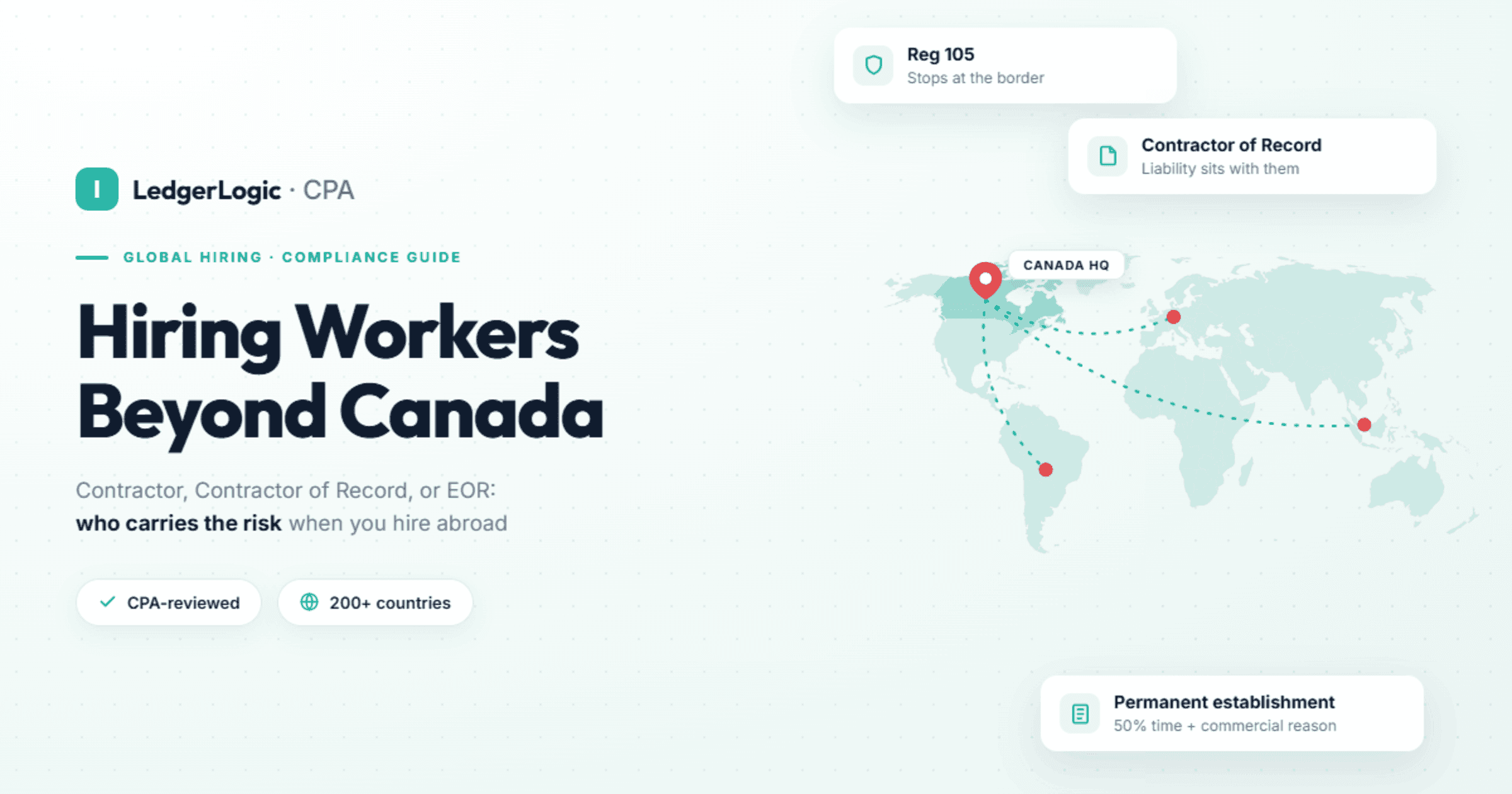
Ask each vendor three questions in writing: which countries run on its own payroll engine and which through a partner; how a Canadian company pays US employees; and in which currency you fund each payroll. If you have no entity in the other country, that is an employer-of-record question rather than a payroll one, and our guide to hiring workers abroad from Canada covers the routes.
How do Rippling, Dayforce and Powerpay price?
None of the three publishes a full price list for a company of 50 to 500 people; all three quote after a conversation. The models differ, and for a growing company the model matters more than the first-year number.
- Powerpay says its cost depends on how often you pay, how many employees you pay and which features you add: a per-run processing fee plus per-payment fees, quoted by an account executive. Because the fee is per run, your pay calendar drives the bill. Weekly payroll is about 52 runs a year, biweekly about 26 and semi-monthly 24, and off-cycle runs for bonuses or final pays add more, so ask how those are charged. Powerpay’s blog announced an all-in plan for micro-businesses in November 2025 at $25 a month plus $5 per employee; the plan’s own page redirected to Powerpay’s home page when we checked on October 14, 2026, and it is aimed at teams far smaller than the companies this page is about.
- Dayforce routes buyers to a demo or a sales call and publishes no prices on the Canadian pages we read. Ask for implementation, training and integration work as separate lines so you can compare like with like.
- Rippling says most of its products are billed per employee per month, some add a monthly base fee, and each product is bought on top of its required core platform. It quotes after you talk to its team, and its promotion terms refer to implementation and professional services that sit outside the subscription. A Rippling quote is a stack: platform, payroll, then each HR module you add. See Rippling pricing and offers in Canada for its current terms.
How to compare the quotes. Put all three on a 12-month cost for your actual pay calendar: subscription or run fees, per-payment fees, year-end slips, ROEs, off-cycle runs, implementation and any minimum term. A per-run model rewards fewer, larger pay runs; a per-employee model rewards a stable headcount. A seasonal business whose headcount rises sharply in its busy months should ask each vendor how a mid-year change in headcount is billed.
Which one fits your company?
| Your situation | Our pick | Why |
|---|---|---|
| Payroll only, under 50 staff in one province | On Powerpay: stay if it works. Choosing fresh: Wagepoint | Powerpay’s Canadian-only scope and per-run pricing suit a simple payroll; Wagepoint is our pick for a new payroll-only setup, compared in our payroll software comparison |
| Under 50 staff and you want someone else to run payroll | Powerpay Assisted Payroll | A dedicated payroll specialist handles processing, filings and year-end, Powerpay says |
| 50 or more staff who want payroll managed for them | ADP Workforce Now; if you already run Powerpay or Dayforce, ask about Assisted Payroll or Dayforce Managed Payroll first | The same routing we use on every payroll page; see our Rippling vs ADP Workforce Now comparison |
| 10 to 500 staff across provinces or with people abroad, wanting payroll and HR tools in one system | Rippling | Rippling says it covers every province including Quebec, and lists time, scheduling, benefits administration and HR modules for Canada |
| 200+ hourly or shift workers where scheduling to demand is the hard part | Dayforce | Demand-based scheduling, time capture and continuous pay calculation |
| 1,000+ employees in several countries, with an HRIS team | Dayforce | Sold in 1,000 to 12,000 and 12,000+ bands; Dayforce says Gartner named it a Leader for HCM suites for 1,000+ employee enterprises |
| Quebec-based company | Any of the three; test Quebec in the demo | Rippling says it runs Quebec payroll; Dayforce’s guides cover RL-1 and RL-2; Powerpay remits to Revenu Québec |
| Live on Dayforce with a working setup and 500+ staff | Stay | Re-implementing a working HCM suite is a large project; switch for a business reason, not a feature list |
When do Dayforce or Powerpay stay the better fit?
- Large hourly or shift workforces. Dayforce lists retail and hospitality and manufacturing among the industries it serves, and its workforce management is built around frontline schedules set to business demand across locations.
- You want payroll done for you. Powerpay’s Assisted Payroll gives you a dedicated payroll specialist for processing, filings, ROEs and year-end, and Dayforce offers Managed Payroll on its platform. If nobody on your team should be running payroll, start there.
- Past 1,000 employees. Dayforce has bands for 1,000 to 12,000 and 12,000+ employees. That is beyond the 10 to 500 range where we think Rippling fits best.
- A small Canadian-only team that is happy. If Powerpay pays a small team in one province on time, a new platform adds cost and a migration for little gain.
- Mid-contract or freshly implemented. The switching work in the next section is real. Time any move to your renewal and to January 1.
Rippling is worth a serious look when the company has outgrown that picture: staff in several provinces, some people abroad, onboarding that touches payroll, benefits and several separate HR tools, and a Powerpay or Dayforce renewal coming up. Our Rippling Canada review covers fit, Quebec and the pricing model in more detail.
How do you switch from Dayforce or Powerpay without breaking year-end?
Switch on January 1 if you can. A mid-year switch works, but only if every employee’s year-to-date figures move with them.
- Start on January 1 and keep the old provider until last year’s slips are filed. A January 1 start means the new system begins with no year-to-date balances, but the old provider still prepares last year’s slips. For the 2025 year the CRA set the T4 due date at March 2, 2026 for most employers (a deadline that lands on a weekend or CRA holiday moves to the next business day), and Revenu Québec wants RL-1 slips filed and given to employees by the last day of February.
- Mid-year, load year-to-date figures before the first run. The new system needs each employee’s earnings, CPP or QPP, EI or QPIP, income tax and taxable benefits for the year so far. Without them it restarts the annual CPP and EI maximums and deducts again from people who already reached them, and your year-end slips will not match what was remitted. Ask both vendors who prepares the slips for the year of the switch; we prefer one set of slips per employee covering the full year.
- Keep read access to the old system for at least a year. An electronic ROE can need insurable earnings for up to the last 53 weekly, 27 biweekly, 25 semi-monthly or 13 monthly pay periods under Service Canada’s ROE Web requirements. An employee who leaves in March after a January switch needs pay periods from both systems.
- Run one payroll in parallel. Reconcile gross pay, deductions, net pay and remittances line by line, then cut over. Confirm the new system has your CRA payroll account number, your Revenu Québec file if you have Quebec staff, and your provincial employer health tax and workers’ compensation accounts.
- Read your current agreement. Check the notice period and renewal date before you sign the new order form, so you are not paying two vendors for longer than the parallel run.
Our verdict
For a Canadian company of roughly 10 to 500 people that has grown across provinces or countries and runs HR on spreadsheets and add-ons around its payroll, Rippling is the comparison worth making against Dayforce: one vendor for payroll, time, scheduling and HR modules, with most products billed per employee per month, Rippling says. For a large shift-based workforce, Dayforce remains the specialist. For a payroll-only team under 50 in one province, Powerpay is fine if you are already on it (or done for you with Assisted Payroll), and Wagepoint is our pick if you are choosing fresh; our payroll software comparison lists the small-team options. If you are weighing other incumbents, see Rippling vs Payworks and Rippling vs ADP Workforce Now; for HR systems at every size, see the best HRIS for 100 to 500 employees in Canada.
Outgrowing Powerpay, or rethinking Dayforce?
See how Rippling handles Canadian payroll, time and HR for a team across provinces or countries. Rippling says it prices most products per employee per month, and it quotes after a conversation with its team.
Affiliate disclosure: LedgerLogic may earn a referral fee from Rippling, at no cost to you. Dayforce and Powerpay pay us nothing.
How we reviewed
Sebastien Prost, CPA read each vendor’s public Canadian pages on October 14, 2026: dayforce.com/ca, powerpay.ca, Dayforce’s public help portal, rippling.com/en-CA, Rippling’s blog and release notes, and Rippling’s published promotion terms, plus the CRA’s list of third-party payment service providers, the CRA’s T4 guide, Service Canada’s ROE Web requirements and Revenu Québec’s RL slips page. LedgerLogic has not run payroll on Rippling, Dayforce or Powerpay; this is a CPA review of what each vendor publishes, and where a feature is the vendor’s own claim we say so. Rippling’s help centre requires a login, so nothing here comes from it. LedgerLogic may earn a referral fee if you contact Rippling through our links, at no cost to you, and Wagepoint, named in the routing table, may also pay us a referral fee. Dayforce and Powerpay pay us nothing, and neither relationship changes which tool we recommend for which situation.
Frequently Asked Questions
Is Dayforce or Rippling better for a Canadian company with 200 staff?
It depends on what the 200 people do. If most are hourly or shift workers and scheduling to demand is the daily problem, Dayforce is built for that. If they are spread across provinces or countries and you want payroll, time, benefits administration and HR modules from one vendor, with most products billed per employee per month, Rippling is the stronger comparison. At 200, Dayforce’s Canadian site sends you to Dayforce rather than Powerpay.
What is the difference between Powerpay and Dayforce?
Both belong to Dayforce, the company formerly called Ceridian. Dayforce’s Canadian site sends companies with 1 to 199 employees to Powerpay, Canadian payroll with HR, time and an optional Assisted Payroll service, and companies with 200 or more to Dayforce, a full HR, payroll, workforce management and talent suite that pays employees in over 160 countries through in-country providers. Powerpay prices per payroll run and per payment; Dayforce quotes after a demo.
Does Rippling run Quebec payroll like Dayforce?
Rippling says its payroll runs across all provinces including Quebec, supports remittances to Revenu Québec, handles RL-1 filings and lets every Canadian employee choose an English or French pay stub. Dayforce’s public help guides cover RL-1 and RL-2 slips, QPP and QPIP discrepancy reports and a CNT and WSDRF earnings report. Test a Quebec employee’s RL-1 preview in either demo before you sign.
How do Dayforce and Rippling price?
Neither publishes a price list for mid-sized companies. Rippling says most products are billed per employee per month, some add a monthly base fee, and each product sits on its required core platform, quoted after a conversation. Dayforce routes buyers to a demo or sales call. Powerpay says it charges a per-run processing fee plus per-payment fees, so pay frequency drives the cost. Compare all three on a 12-month cost for your own pay calendar, including implementation.
Can I switch from Dayforce mid-year?
Yes, but the new system must load every employee’s year-to-date earnings, CPP or QPP, EI or QPIP and tax before its first run, or it will deduct again from people who already reached the annual maximums. Keep read access to Dayforce for at least a year, because an ROE can need up to 53 weekly or 27 biweekly pay periods of insurable earnings. A January 1 switch, with the old provider finishing last year’s T4s and RL-1s, is cleaner.
When should I stay on Dayforce?
Stay if you run a large hourly or shift workforce that depends on demand-based scheduling, if you are past 1,000 employees, if you want Dayforce Managed Payroll to run payroll for you, or if you implemented recently and the system works. Re-implementing a working HCM suite is a large project; switch for a business reason, such as a multi-country team or a renewal, not for a feature list.
Are Rippling and Dayforce on the CRA’s list of third-party payment service providers?
Yes. The CRA’s page on paying through a third-party payment service provider lists Rippling for payroll source deductions, and Dayforce for payroll source deductions and Nova Scotia Workers’ Compensation Board payments. The CRA says listed providers have set themselves up as Electronic Data Interchange remitters and that it does not endorse them. Powerpay is a Dayforce product; the list names Dayforce.
Is Dayforce the same company as Ceridian?
Yes. Powerpay’s history page says Ceridian launched Powerpay in 2001, acquired Dayforce in 2012 and rebranded as Dayforce in 2024. If you are looking for Ceridian alternatives in Canada, you are comparing against Dayforce or Powerpay today.
Sources
- CRA, Pay through a third-party payment service provider (Rippling and Dayforce listings, EDI remitters, no endorsement; modified July 21, 2026)
- CRA, Employers’ Guide RC4120: Filing the T4 Slip and Summary (2025 T4 due date, weekend rule)
- Service Canada, ROE Web user requirements, Appendix D (pay periods required in Block 15C)
- Revenu Québec, RL Slips (RL-1 filing and distribution deadline)
- Dayforce Canada (company-size bands, modules, Gartner recognitions)
- Dayforce, small organizations (100 to 1,000 employees, Managed Payroll, self-service)
- Dayforce Payroll (continuous calculation, in-country providers, Dayforce Wallet)
- Dayforce Global Payroll (over 160 countries)
- Dayforce Workforce Management (demand-based and best-fit scheduling)
- Implementing Dayforce (methodology, Integration Studio, training)
- Dayforce Help Portal, Fixed Format Reporting Guide (Canada Year End reports, RL-1, RL-2, CNT and WSDRF)
- Dayforce Help Portal, automatic ROE generation
- Powerpay on dayforce.com (Powerpay HR, Payroll, Time, Assisted Payroll)
- Powerpay Payroll (CRA and RQ remittances, ROE preview, setup time, codes, garnishments)
- Powerpay Assisted Payroll (dedicated specialist, year-end, HR Advisory powered by e2r)
- Powerpay help: electronic filing (Dayforce files tax forms electronically with the CRA and Revenu Québec; the employer completes the RL-1 Summary)
- Why Powerpay (cost structure, 25 years)
- Powerpay, Who We Are (2001, 2012 and 2024 history; 46,000 businesses, 1.1 million employees)
- Powerpay blog, November 13, 2025 (micro-business plan)
- Rippling, Canadian payroll (TD1, T4, ROE, RL-1 and T4A; employee access)
- Rippling, Canada launch post (provinces including Quebec, deductions, remittances, alerts; updated April 24, 2024)
- Rippling, July 2025 release notes (ROE preview, EHT accounts, slip preview, French pay stubs)
- Rippling, pricing (per employee per month, base fee, core platform)
- Rippling, small businesses (no minimum headcount)
- Rippling, Global Payroll (local currency, worldwide payroll taxes)
- Rippling, Wealthsimple workplace savings (Group RRSP integration)
- Rippling, promotion terms (products available in Canada; implementation and professional services)
All pages read October 14, 2026.

Sebastien ProstCPA, Ex-CRA
Licensed CPA with 10+ years of experience, including work with the Canada Revenue Agency. Founder of LedgerLogic, a cloud accounting firm serving Canadian SMEs. Xero Certified Advisor.