Disclosure: this post contains affiliate links. If you sign up through one, we may earn a commission at no extra cost to you. We only recommend tools a CPA has reviewed from the vendor's own pages.
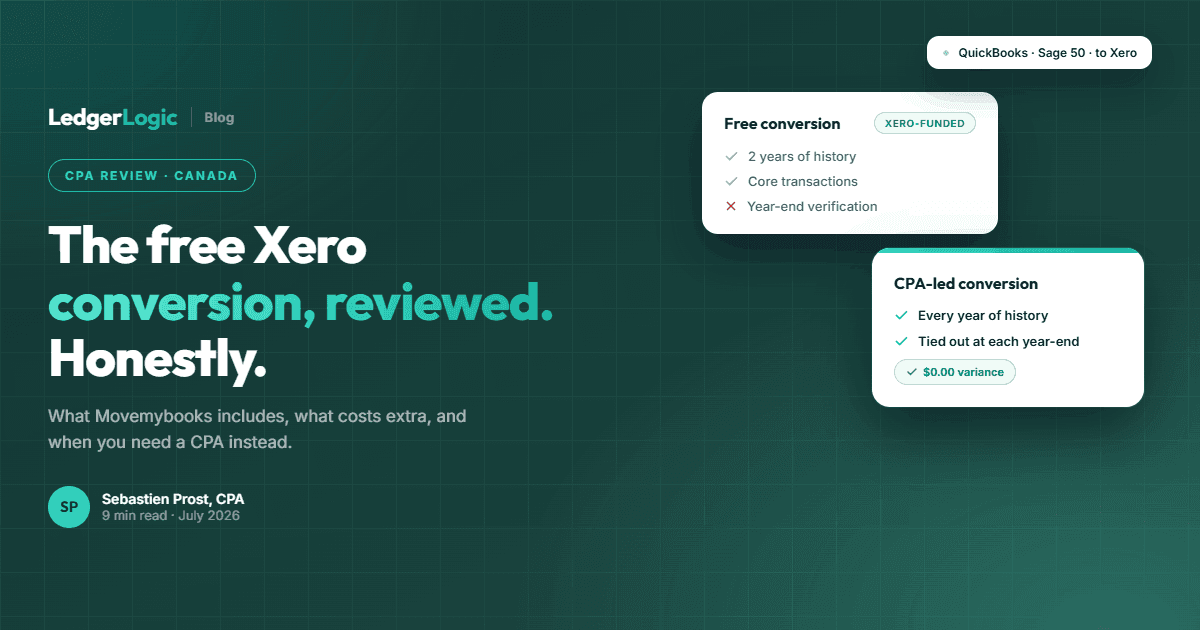
Movemybooks converts QuickBooks (Online or Desktop), Sage 50, and Sage Accounting files to Xero, and Xero's Canadian conversion page says the conversion is free for Xero partners moving a file into the Standard or Premium plan. Free covers the current accounting year plus one prior year of core transaction history. Subscribe to Xero before the conversion if you want a discount: Xero Central says discounts do not apply to an organization a conversion service created. You pay extra for additional years and non-core data, and nobody verifies the converted balances against your old file, so plan your own tie-out. For most QuickBooks files it is a solid starting point; for Sage 50 files where you want full multi-year history, a CPA-led conversion is usually the better route.
If you are moving your books to Xero in Canada, you will run into Movemybooks quickly: it is the conversion partner Xero names on its Canadian site, and the headline offer sounds almost too good, a free conversion from QuickBooks or Sage 50. This Movemybooks review covers what the free conversion actually includes, where the limits are, and how to decide whether free is enough for your file. We are a Canadian CPA firm that does conversions for a living, including the complicated ones, so we will also be clear about when you genuinely do not need us.
What Is Movemybooks?
Movemybooks is a UK-built conversion service that has operated in Canada for years. It moves accounting data from one platform to another using automated software plus a manual review step on their side. For Canadians the relevant direction is into Xero, and the supported source systems are:
- QuickBooks Online (Essentials and Plus plans)
- QuickBooks Desktop (2009 or later)
- Sage 50 Canada (version 14 / 2008 or later)
- Sage Accounting (the cloud product)
- KashFlow
The service is legitimate and widely used. Xero lists it in its own partner conversion methods for Canada, and accounting firms use it for routine client migrations.
What the Free Conversion Includes
Xero's Canadian conversion page lists the free conversion under its partner program: Movemybooks converts up to two years of transaction history free when a Xero partner (an accountant or bookkeeper) moves a file into the Standard or Premium plan, and Xero Central says Xero covers the cost of standard conversions. If you are converting on your own, confirm the price with Movemybooks before you book. Free gets you:
- Transactions for the current accounting year to date plus all of the previous accounting year (roughly two years of history)
- Chart of accounts, customers, and suppliers
- Core transaction history behind your profit and loss and balance sheet
- Customer and supplier balances
For a simple, recent file, that is a genuinely useful conversion at zero cost, and it is more than the opening-balances-only migration many bookkeepers would quote you for.
What the Free Conversion Does Not Include
This is the part the headline offer glosses over, and it matters more for some files than others:
- History beyond two years costs extra. Each additional year is a paid add-on. A ten-year-old Sage 50 file converted in full is not a free project.
- Non-core data costs extra or does not come across. Things like inventory detail, payroll history, jobs and projects, and attachments are either paid extras or simply not converted. Some converted data will look different in Xero than it did in the source file.
- Nobody ties out your year-ends. Movemybooks runs checks on its own process, but no one opens your old file and verifies that the Xero trial balance matches at each fiscal year-end. That verification is on you or your accountant.
- Exceptions are your problem. When something in the file cannot be converted cleanly, you get a note about it, and you (or your bookkeeper) fix it after go-live.
- The Xero discount may not apply. Xero Central says that because Xero covers the cost of standard conversions, discounts do not apply if a conversion service created your Xero organization. If you want 80% off for 6 months through our partner link, create and subscribe to the organization yourself first, then confirm with Movemybooks that it will convert into that organization.
Switching to Xero? Get 80% Off for 6 Months
Whichever conversion route you take, you will need the Xero subscription itself. New organizations get 80% off for 6 months through our partner link with no code. Xero does not apply discounts to an organization a conversion service created, so subscribe first.
If You Are Coming from QuickBooks
For most QuickBooks Online and QuickBooks Desktop files, Movemybooks is a reasonable default. QuickBooks files tend to be younger and cloud-era books rely less on deep in-file history, so the two-year window covers the useful part of most files. Our advice for QuickBooks switchers:
- Use the free conversion, then spend your energy on the post-conversion checks (below) rather than paying for extra years you will rarely open.
- Keep read-only access to QuickBooks (or full report exports) for the CRA retention period.
- Follow our QuickBooks to Xero migration guide for the conversion-date and cleanup steps that make any conversion, free or paid, land cleanly.
If You Are Coming from Sage 50
Sage 50 is where the two-year limit bites. Sage 50 files in Canada are often a decade or more old, the business has its entire financial history in one desktop file, and keeping a Sage licence alive just to look up old years costs real money every year. You have three realistic options:
- Free Movemybooks conversion (two years) and keep Sage as an archive. Fine if you are comfortable maintaining read-only Sage access for the CRA retention period.
- Pay Movemybooks for extra years. The per-year add-ons accumulate, and you still get no year-end verification and no source documents.
- A CPA-led full-history conversion. An accountant moves every fiscal year and ties the Xero trial balance to the Sage trial balance at each year-end, with reconciliation reports. Once every year ties, you can cancel Sage entirely.
If you are doing it yourself instead, our Sage to Xero migration guide covers the conversion date, export order, and tie-outs step by step.
Free Conversion vs CPA-Led Conversion
- History: Movemybooks free covers about two years; paid add-ons per extra year. A CPA-led conversion covers every year in the file.
- Verification: Movemybooks checks its own process; a CPA-led conversion ties out the trial balance at every fiscal year-end and hands you the reconciliation reports.
- Exceptions: Movemybooks leaves them with you; a CPA-led conversion resolves them before handover.
- Tax codes: Automated mapping vs GST/HST/PST/QST mapped for your province and filing history.
- Cost: Free through a Xero partner on Standard or Premium (Xero-funded) vs a fixed fee quoted from your backup file.
- Best for: Younger QuickBooks files and simple books vs old Sage 50 files, businesses that want to cancel Sage, and anyone who needs provable history.
The Post-Conversion Checklist Nobody Runs
Whichever route you choose, do not start invoicing in Xero until these four things check out against your old file:
- Trial balance: Xero matches the source system at the conversion date.
- Bank balances: every bank and credit card account matches, and the reconciliation status makes sense.
- AR and AP: aging totals match, and your five biggest customer and supplier balances look right.
- Sales tax: the GST/HST payable or receivable balance matches your filing position, especially if you converted mid-quarter.
If any of these are off, fix them before entering new activity. Errors compound quickly once live transactions pile on top.
A note from experience: when a conversion ends with a discrepancy, it is rarely one bad entry. It is usually the net effect of several transactions interacting, an unapplied credit here, a tax-code mismatch there, an exchange difference sitting in the wrong period, and the individual pieces can each look fine on their own. Conversion support can tell you what was converted, but untangling why a balance is off is accounting diagnosis, not data transfer, and it falls outside what an automated service can help with. That investigation is what a CPA-led conversion covers: the file is not handed over until every balance ties, so there is nothing left to untangle.
Our Verdict
Movemybooks is a legitimate, useful service, and the free conversion is real for files a Xero partner moves into Standard or Premium. For most QuickBooks files, use it, run the checklist above, and put the savings toward your Xero subscription. For old or complex Sage 50 files, the two-year window and the lack of year-end verification are real limitations, and a full-history conversion done and verified by a CPA is usually worth the fixed fee, particularly once you count the cancelled Sage renewal. Either way, you will need a Xero subscription. Our partner link gives new organizations 80% off for 6 months, but Xero does not apply discounts to an organization a conversion service created, so subscribe through the link first and confirm your converter imports into that organization.
Frequently Asked Questions
Is Movemybooks really free in Canada?
Yes, when a Xero partner does it. Xero's Canadian conversion page says Movemybooks converts up to two years of transaction history free for Xero partners moving a file into the Standard or Premium plan, and Xero Central says Xero covers the cost of standard conversions. Extra years of history and non-core data (inventory detail, payroll history, and similar) are paid add-ons. If you are converting on your own, confirm the price with Movemybooks before you book.
Can I use the Xero discount with a Movemybooks conversion?
Only if you create and subscribe to the Xero organization yourself first. Xero Central says discounts do not apply if a conversion service created your Xero organization, because Xero already covers the cost of standard conversions. Sign up through our partner link (80% off for 6 months on a new organization, using the form on the page the link opens, no code needed), then confirm with Movemybooks that it will convert into that organization, and check the discounted price on your first Xero invoice.
Is Movemybooks safe and legitimate?
Yes. It has operated in the UK and Canada for years, is listed in Xero's own partner conversion methods for Canada, and is used routinely by accounting firms. Your data is processed through their conversion platform, so review their data policies if you have specific confidentiality requirements.
How many years of history does the free conversion include?
The current accounting year to date plus all of the previous accounting year, roughly two years. Additional years can be added for a per-year fee.
What source systems does Movemybooks support in Canada?
QuickBooks Online (Essentials and Plus), QuickBooks Desktop 2009 or later, Sage 50 Canada version 14 (2008) or later, Sage Accounting, and KashFlow, all converting into Xero.
Does Movemybooks convert payroll, inventory, or attachments?
Not in the standard conversion. Some non-core elements can be added for a fee where supported; others, like source-document attachments, do not come across at all.
Will my converted numbers match my old file exactly?
Core balances should, but nobody verifies your fiscal year-ends against the source file as part of the service. In our experience, end-of-conversion discrepancies are common and usually involve multiple transactions interacting (unapplied credits, tax-code mismatches, exchange differences), which conversion support cannot diagnose for you. Run a trial balance comparison at the conversion date, and at prior year-ends if you converted history, before going live.
What if I have ten years of Sage 50 history?
Paying Movemybooks per extra year adds up, and you still get no year-end verification. That scenario is what a CPA-led full-history conversion is built for: every year moved, every year-end tied out, and the Sage subscription cancelled afterwards.
Do I still need an accountant if the conversion is free?
For the conversion itself, not necessarily. For the conversion date decision, GST/HST setup, and the post-conversion tie-out, an hour of CPA review is cheap insurance against months of compounding errors.

Sebastien ProstCPA, Ex-CRA
Licensed CPA with 10+ years of experience, including work with the Canada Revenue Agency. Founder of LedgerLogic, a cloud accounting firm serving Canadian SMEs. Xero Certified Advisor.