Disclosure: this post contains affiliate links. If you sign up through one, we may earn a commission at no extra cost to you. We only recommend tools we use with our own clients.
How do you migrate from Sage 50 to Xero in Canada?
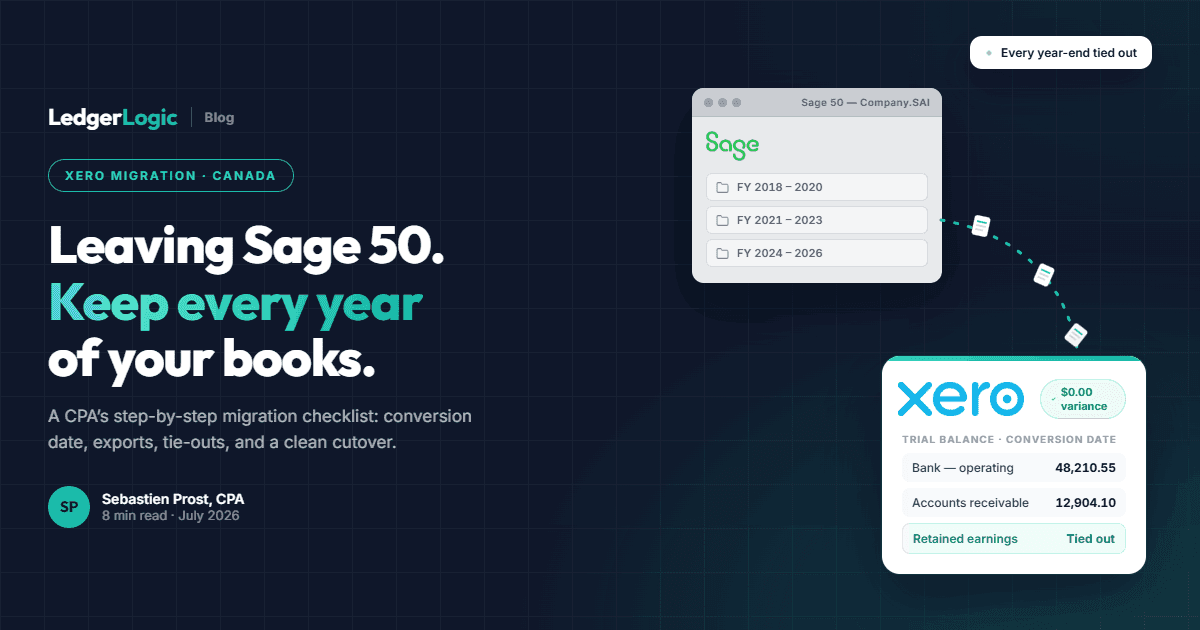
To migrate from Sage 50 (Canada) to Xero, most businesses should do a clean cutover: pick a conversion date (fiscal year-end or the start of a GST/HST quarter), clean up and reconcile Sage, export the trial balance and outstanding AR/AP, then import into Xero and tie every balance back to Sage. If you want every year of history in Xero instead of just opening balances, that is a full-history conversion, which is difficult to do by hand; our CPA-led conversion service moves the entire file and verifies the trial balance at every year-end.
At a Glance
Migrating from Sage 50 (Canada) to Xero is usually less about “moving software” and more about choosing the cleanest cutover point so your books stay reliable going forward. We convert Sage 50 files for clients regularly, including full multi-year history conversions verified against Sage at every year-end, so this guide reflects what actually goes wrong in practice, not theory. Done right, moving from Sage to Xero gives you:
- Clean opening balances that tie to your Sage trial balance
- Correct sales tax setup (GST/HST/PST) for your business model
- Bank feeds and reconciliation working smoothly from day one
- A chart of accounts that’s simpler (and easier to keep clean)
A bad migration does the opposite: it imports messy history, mismaps tax codes, and leaves you with “mystery balances” that never reconcile. This guide is designed to prevent that.
Overview of Sage to Xero Migration
Benefits of moving from Sage to Xero
- Real-time collaboration: Your accountant/bookkeeper can work in the same file without backups or file transfers.
- Bank feeds + faster month-end: Daily bank lines + reconciliation workflows typically reduce admin time.
- Cleaner app ecosystem: If you use tools like Shopify, Stripe, receipt capture, or payroll apps, Xero integrates well.
- More scalable workflow: Xero tends to fit better as transaction volume grows.
Key considerations before you transfer
Before you touch data, decide these three things:
- How much history do you actually need in Xero?
Most businesses don’t need years of detailed history inside Xero to run clean books. - What’s the best conversion date?
Picking the wrong date is the #1 reason migrations become painful. - Who owns the tie-out?
Someone must reconcile the new file to Sage (trial balance, bank recs, AR/AP). If no one does, errors persist.
Pre-Migration Preparation
A smooth migration is mostly preparation. If your Sage file is messy, Xero will faithfully import the mess.
Data cleanup in Sage (do this before exporting anything)
- Reconcile bank and credit cards up to the conversion date.
- Clear unapplied credits and old adjustments (especially in AR/AP).
- Review your suspense/clearing accounts (if you have one, it will haunt you in Xero).
- Confirm sales tax coding is consistent for the period you’re converting.
If you’re behind on reconciliation or unsure about balances, fix that first. Migration is not the moment to “hope it works out.”
Chart of accounts mapping (make Xero cleaner than Sage)
Use the move as an opportunity to simplify:
- Merge duplicate/unused expense accounts
- Standardize naming (e.g., “Bank Charges” vs “Service Fees”)
- Confirm account types (assets/liabilities/equity/revenue/expense) are correct
- Decide whether you’ll use Tracking Categories in Xero (departments/locations/projects)
A simple mapping spreadsheet avoids import surprises.
Want Your Sage 50 File Converted for You?
We convert Sage 50 files to Xero with full multi-year history, verified against your Sage trial balance at every year-end. CPA-led, fixed fee, reconciliation reports included. Prefer the DIY route? Grab the Xero discount below and follow this guide.
Set up your Xero environment before importing
Configure these upfront:
- financial year-end
- sales tax settings (GST/HST/PST as needed)
- tracking categories (if you’re using them)
- user access/permissions
Set this once correctly and you avoid rework later.
Xero Migration Process
There are two common migration approaches. The right one depends on complexity and how clean your Sage file is.
Option A: “Clean cutover” (recommended for many businesses)
This is often the best balance of speed + accuracy. You migrate:
- contacts (customers/suppliers)
- outstanding invoices (AR) and bills (AP) as of conversion date
- opening balances (trial balance) as of conversion date
You keep Sage as your historical archive (read-only).
Best for: most service businesses, agencies, contractors, and any file with messy history.
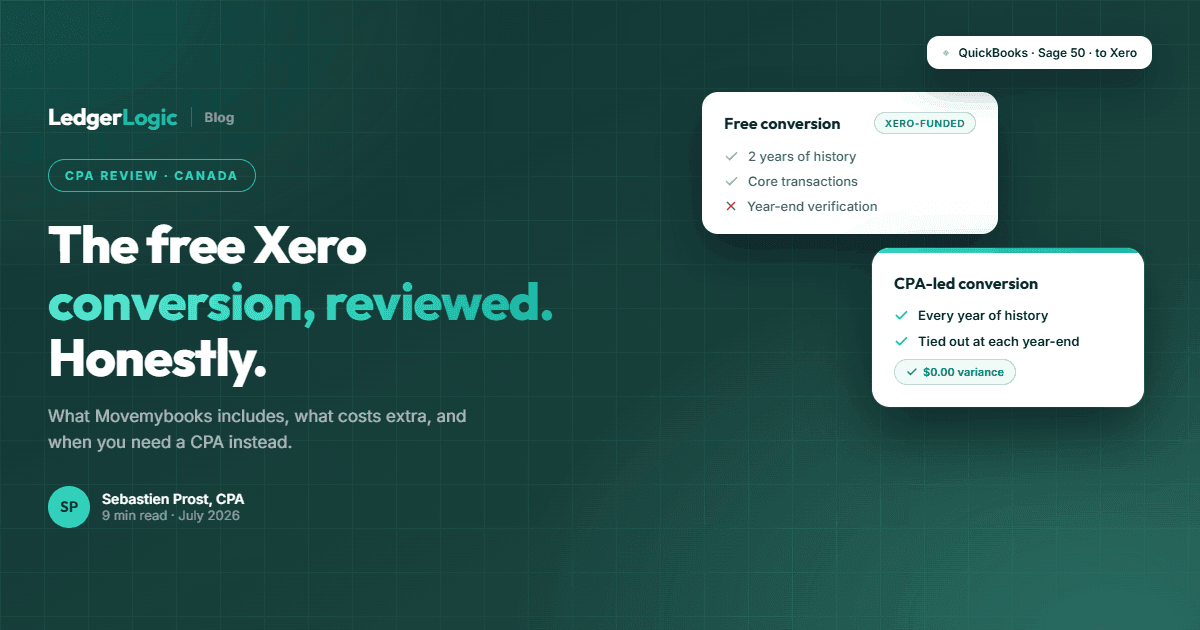
Automated tools can handle part of this route for free: see our Movemybooks review for what the free Xero-funded conversion covers and where its two-year limit bites.
Option B: “Full conversion” (full multi-year history)
You migrate years of transactions so Xero becomes your single system of record. No keeping an old Sage licence around just to look up history, no switching between two systems when the CRA asks about a prior year.
The honest caveat: this is very hard to do yourself. Sage 50 has no clean full-history export path, and a conversion can only be trusted if it reproduces every fiscal year-end exactly, with the Xero trial balance matching the Sage trial balance at each one. This is the conversion we offer as a done-for-you service. A recent example: we converted a Quebec software company with 9 fiscal years of history, roughly 9,650 journal entries, and close to 600 source documents, with the trial balance tied to the penny at every single year-end. If you want your full history in Xero, our CPA-led Sage 50 to Xero conversion service handles it end to end.
Best for: businesses that want to cancel Sage entirely, need prior-year detail on hand for CRA reviews or due diligence, or work with an accountant who lives in Xero.
Exporting data from Sage (what you actually need)
Minimum exports most businesses need:
- customer list and supplier list
- chart of accounts
- trial balance as of conversion date
- AR aging and AP aging reports
- bank reconciliation report(s) as of conversion date
Optional exports (only if relevant):
- inventory valuation / item list
- project/job summaries
- sales by product/service breakdowns
Importing data to Xero (sequence matters)
A safe import order:
- set up org settings + sales tax + tracking
- import chart of accounts
- import contacts
- import opening balances / conversion balances
- add outstanding invoices and bills
- connect bank feeds and reconcile forward
Verifying data integrity (don’t skip this)
Your goal is not “data is in Xero.” Your goal is “Xero matches Sage.” Verify:
- Trial balance tie-out: Xero TB = Sage TB as of conversion date
- Bank tie-out: bank balances + reconciliation status align
- AR/AP tie-out: total receivables/payables match, and major customer/vendor balances look right
- Sales tax sanity check: the tax payable/receivable account matches expectation as of conversion date (especially if you convert mid-quarter)
If anything doesn’t tie, stop and fix it before entering new activity.
Post Xero Migration Activities
Once the numbers tie, lock in your workflow so the file stays clean.
Reconciling Xero opening balances
Run a short checklist:
- bank/credit card balances match
- loans and shareholder/owner balances match
- GST/HST payable/receivable accounts are reasonable
- retained earnings/equity looks correct (no unexplained plug amounts)
Staff training (what matters most)
Focus training on:
- invoicing / bills and where to code things
- reconciliation workflow + bank rules
- attaching source docs (receipt capture process)
- month-end checklist (so nothing drifts)
If you are wondering about the learning curve, read our guide on how long it takes to learn Xero.
Add-ons and integrations (do this after the core file is stable)
Don’t integrate everything on day one. Start with:
- bank feeds + reconciliation working well
- invoicing/bills consistent
- then add e-commerce/payroll/receipt capture: browse the full CPA-recommended tool stack for integration options
Troubleshooting Common Issues During Xero Migration
Issue: bank balances don’t match
Most common causes: conversion date mismatch (Sage vs Xero), uncleared transactions in Sage, opening balance entered incorrectly.
Fix: compare Sage bank rec report to Xero reconciliation screen at the conversion date.
Issue: AR/AP totals don’t tie
Most common causes: unapplied credits in Sage, outstanding invoices/bills not recreated correctly.
Fix: tie to AR/AP aging totals, not just the trial balance line.
Issue: taxes look wrong
Most common causes: tax rates mapped incorrectly, tax inclusive vs exclusive differences, wrong tax account mapping.
Fix: review Xero tax settings + ensure tax rates and tax accounts match your intended setup.
Issue: chart of accounts is messy after import
Fix: simplify after the fact (merge/rename), but make sure you understand the impact on reporting first.
Maintaining Financial Records in Xero
To keep the new file reliable:
- reconcile bank/credit cards weekly
- standardize coding rules (bank rules + clear account names)
- do a simple month-end routine:
- reconcile accounts
- review aged receivables/payables
- scan for uncoded transactions
- review key balance sheet accounts (taxes, loans, clearing accounts)
If you do those consistently, Xero stays clean and year-end becomes straightforward.
Comparing platforms before you commit? Our best accounting software in Canada comparison prices every plan on six platforms side by side.
Frequently Asked Questions
What’s the best conversion date?
Usually the start of a fiscal year or the start of a GST/HST quarter. If you run payroll, also consider aligning with a payroll cycle to avoid mid-period confusion.
Should I migrate full history or just opening balances?
If you are doing the migration yourself, a clean cutover is the safer path: opening balances plus outstanding AR/AP, with Sage kept as a read-only historical reference. A full-history conversion is worth it when you want to retire Sage completely, but it is difficult to do correctly by hand. That scenario is what our Sage 50 conversion service is built for, including a year-end by year-end tie-out so you can prove the history matches.
Do I need to keep my Sage 50 licence after switching?
Only if your history stays in Sage. With a clean cutover you should keep read-only access to Sage (or thorough report exports) for at least the CRA retention period. With a full-history conversion, everything lives in Xero and you can cancel the Sage subscription entirely, which usually offsets a good chunk of the conversion cost.
How long does a Sage to Xero migration take?
A simple, clean file can be converted quickly. A messy file or one with inventory, multi-currency, or job costing can take longer because the tie-out and cleanup take time.
What are the most common migration mistakes?
Choosing a bad conversion date, skipping bank recs before converting, mismapping tax codes, importing too much history, and not doing a full tie-out to Sage.

Sebastien ProstCPA, Ex-CRA
Licensed CPA with 10+ years of experience, including work with the Canada Revenue Agency. Founder of LedgerLogic, a cloud accounting firm serving Canadian SMEs. Xero Certified Advisor.